Sanity Plugin Smart Asset Manager
An advanced, premium asset management dashboard for Sanity Studio. Stop guessing which assets are bloating your project—take full control of your media library with smart analysis, bulk cleanup tools, and deep usage tracking.
Advanced Filtering & Sorting
Easily navigate through your media library. Filter by file types and sizes to find what you need instantly.
Unused Asset Detector
Keep your dataset lean. Automatically find assets not referenced by any document and bulk delete them safely.
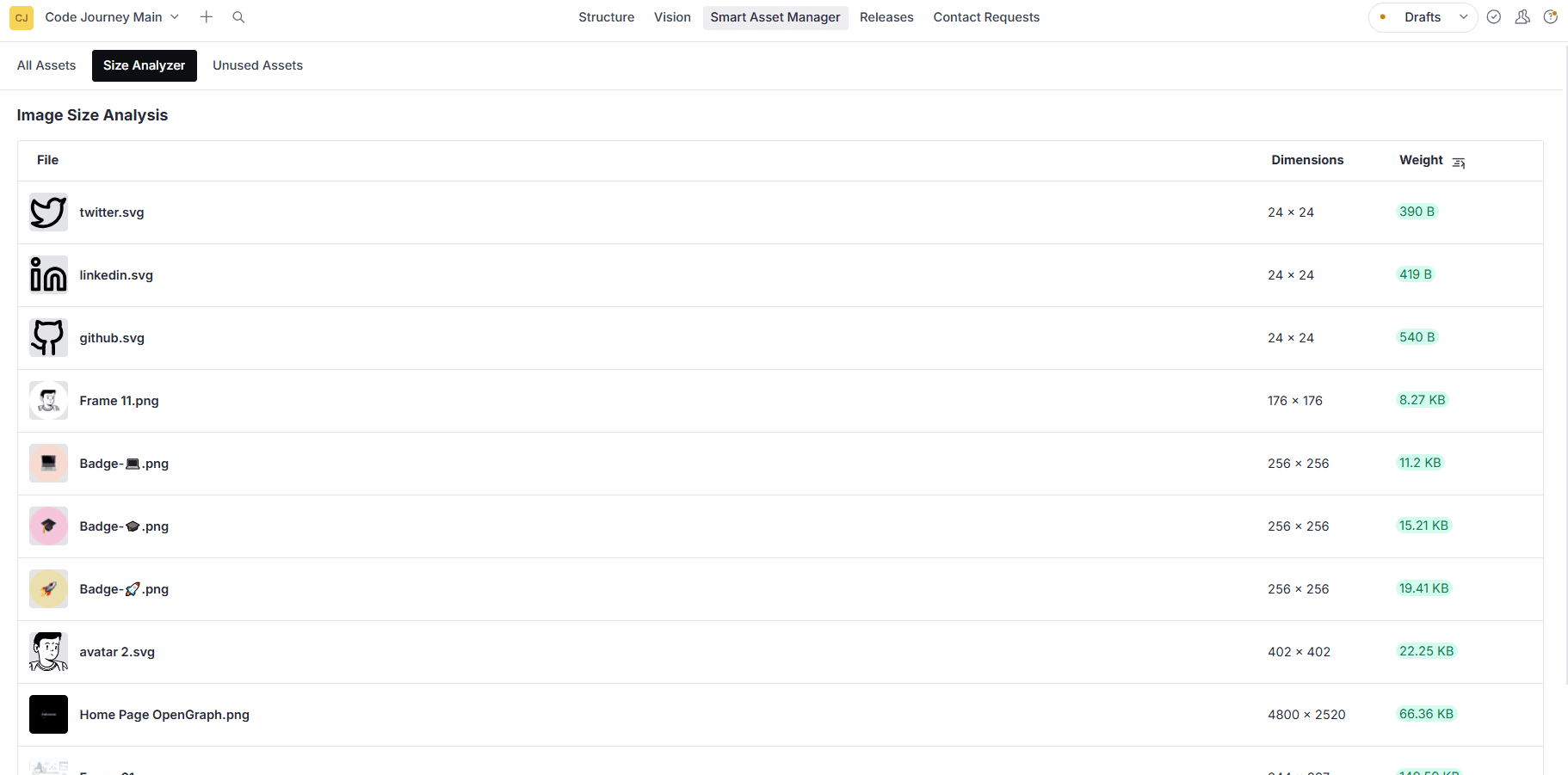
Image Size Analyzer
Identify performance bottlenecks. Sort assets by weight to quickly find unoptimized images slowing down your site.
Deep Usage Tracking
Never delete a critical asset by mistake. Click any asset to see exactly which documents are referencing it.
Get started in minutes
Follow these simple steps to add the smart asset manager plugin to your Sanity Studio.
Installation
Install the plugin using your preferred package manager.
npm install sanity-plugin-smart-asset-manager
# or
yarn add sanity-plugin-smart-asset-manager
# or
pnpm add sanity-plugin-smart-asset-managerSetup
Register the plugin in your sanity.config.ts (or .js):
import { defineConfig } from 'sanity'
import { smartAssetManager } from 'sanity-plugin-smart-asset-manager'

export default defineConfig({
  // ...other config
  plugins: [
    smartAssetManager(),
  ],
})Sanity Studio
Node.js
Common Questions
Everything you need to know about the smart asset manager plugin.
The smart asset manager plugin works seamlessly with Sanity Studio v3, v4, v5, and v6.
Yes! The plugin automatically checks for existing filenames during upload and warns you if a duplicate is detected.
Yes. The plugin features an unused asset detector that lets you multi-select and bulk delete unreferenced files with a single click.
The sanity-plugin-smart-asset-manager is open source under the MIT license. You can freely use, modify, and distribute it in your projects.
Ready to optimize your media library?
The smart asset manager plugin is free, open source, and production-ready. Install it today to take control of your assets.